Plan
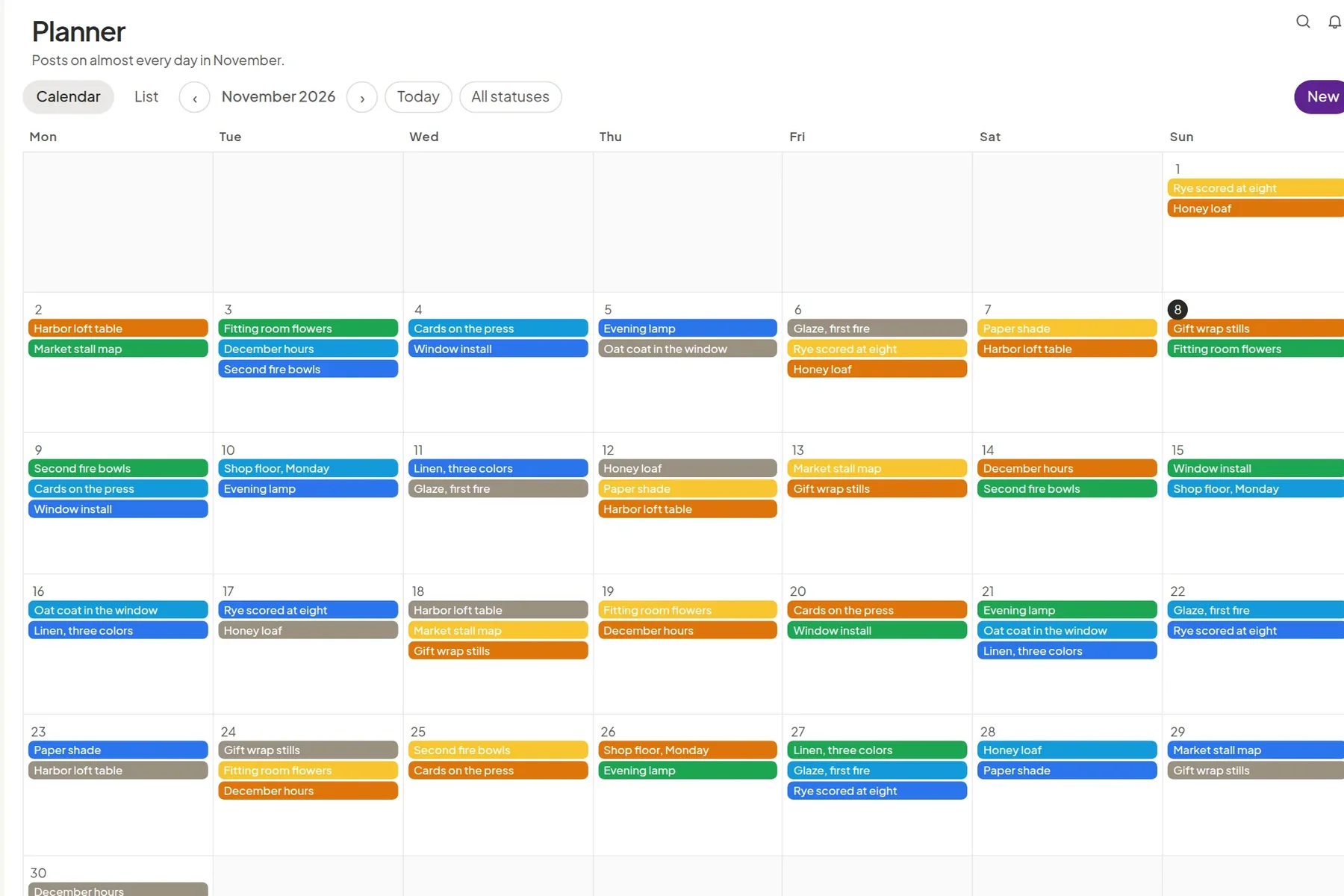
The month sits on a calendar and a list. Duplicate last month’s shape, tag the campaign, and schedule from the same place.
Your new agency's homie
Plan the month, let the client approve it, answer the comments, and open the report. One space per client.


Northwind Studio’s November, on the calendar.
Who it’s for
Each of them gets the same product: one company for the people doing the work, and a space for each client. The trouble they walk in with is different.

Social media agencies, and creative or marketing agencies that run social for clients.
BeforeThe month sits in a sheet, the yes sits in an email thread, and two clients can end up on one calendar.
With SomieSomie is one company for the team and one space per client. The client approves, comments, or sends a post back, and sees only their own work. The plan, the files, the inbox, and the numbers stay in that space.
The agency setup
Brand and marketing teams, including teams that plan with an agency.
BeforeSign-off is a chain of messages, files arrive in chat, and a partner can see more of the company than you meant to share.
With SomieThe approval trail is the same one agencies use. Invite the agency or a colleague into the space. They do not inherit the whole company, and the month, the comments, and the report stay together.
For brand teams
Freelancers and small studios who keep several clients, often with one person writing, planning, and reporting.
BeforeApprovals land in a personal inbox, files mix across clients, and every monthly call starts as a new spreadsheet.
With SomieOne company for the practice, and a space for each client. Send the month for approval in the space, and open the numbers on the call.
For freelancersThe month sits on a calendar and a list. Duplicate last month’s shape, tag the campaign, and schedule from the same place.

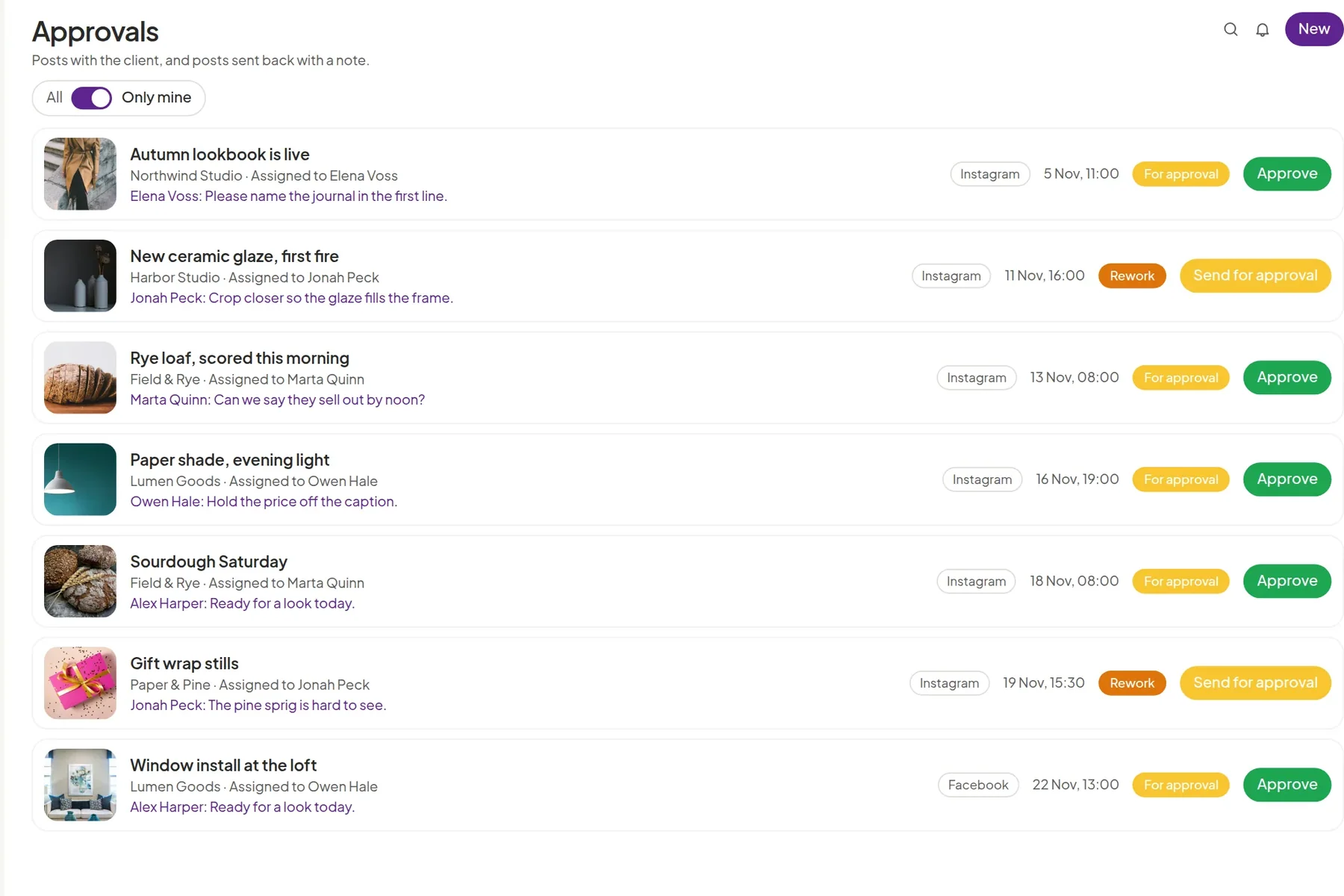
The client accepts or sends the post back. Approve, rework, and the waiting list stay on the post.
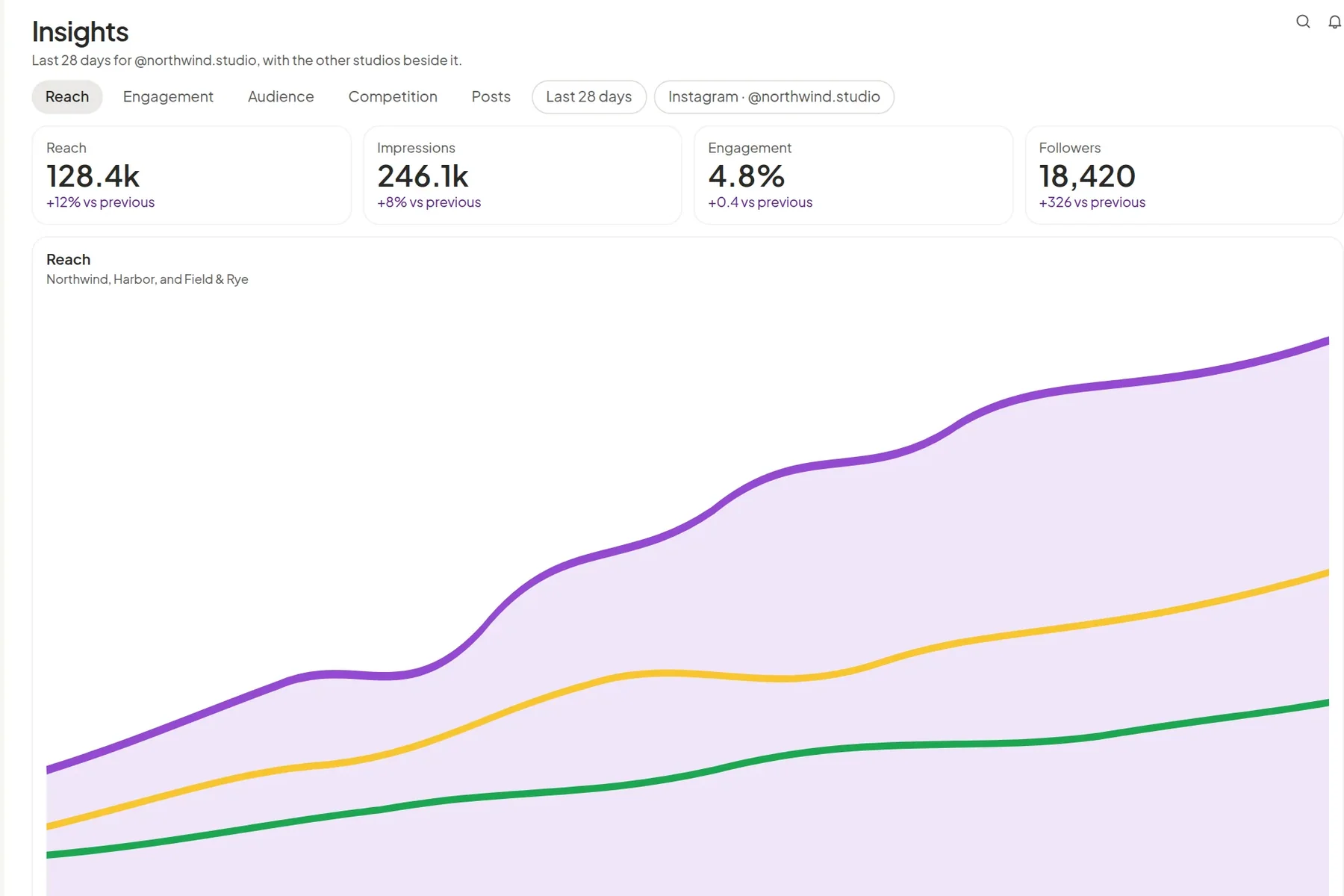
Reach, impressions, and audience for the period you choose, next to the posts the client already approved.
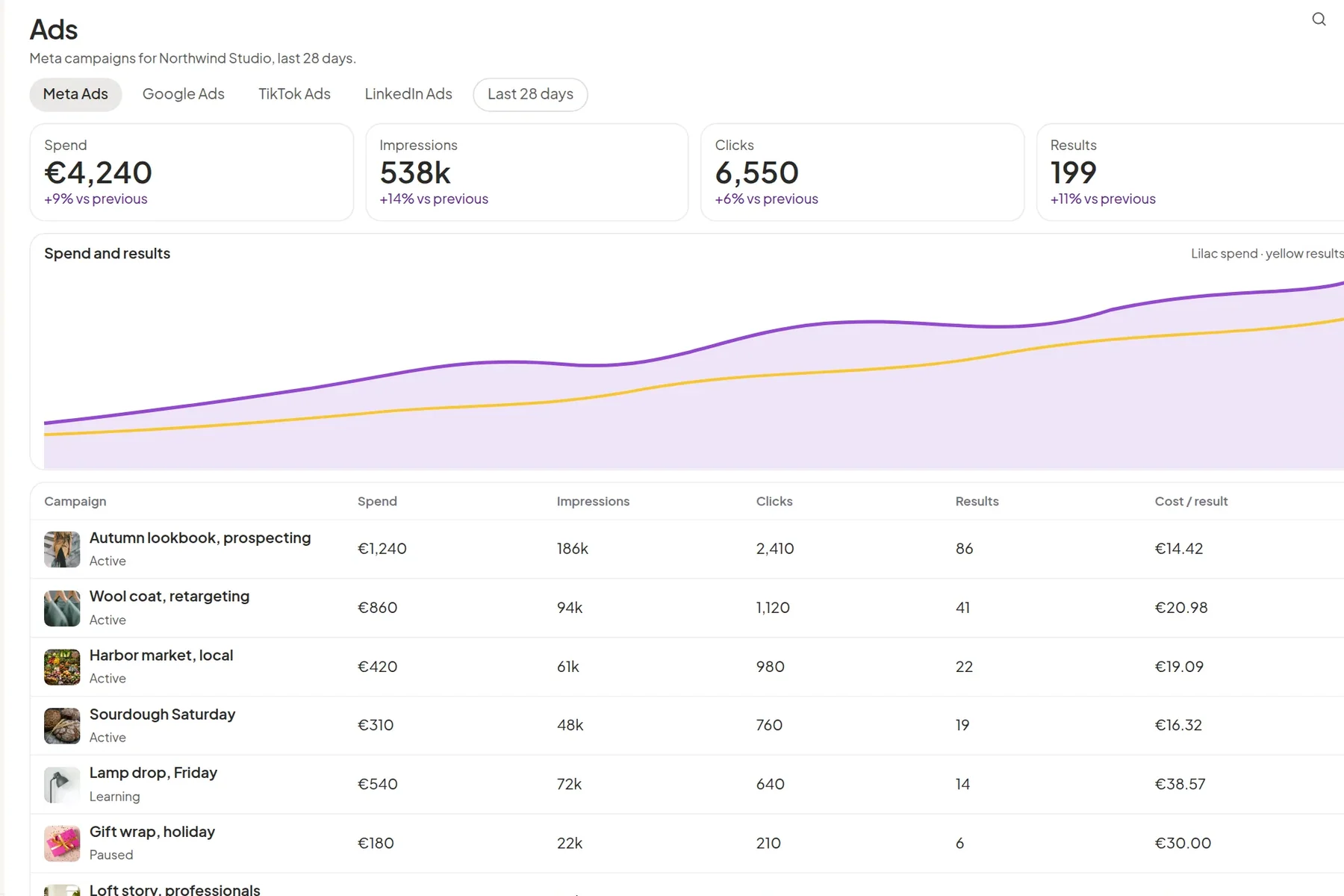
Spend and results from the connected ad accounts, in the same workspace as the organic plan.